
1. Configuration :
Prerequisite for modulation :
The modulation option must be enabled on the ISA 360 console.
Customer, farm, plot and equipment data must be filled in.
2. Importing a card
On your PC :
- Download your map/task from the platform
- Extract .SHP, .DBF, .SHX Files: Right click on your recommendation file then: extract here
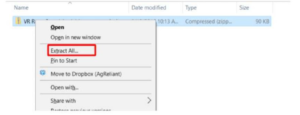
- It is not necessary to create a specific folder on the usb key, just put the .shp, .dbf and .shx files directly on the usb key.
On your console:
- Insert the USB stick into the appropriate port.
- Launch the Guiding application
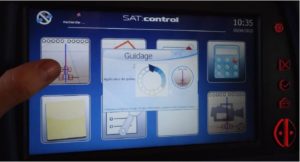
- Create new guidance

- Naming and configuring the new guidance
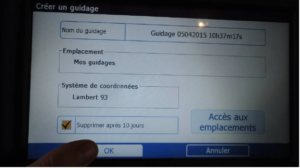
- Set the guidance parameters and click on the "modulation" icon (under the guide button)

- Select recommendation card (1), recommendation column (2), and application unit (3)
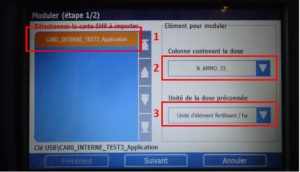
- Set the product criteria and prorate the doses applied according to the recommendation.
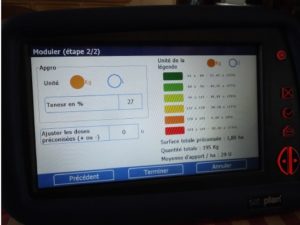
- Click on finish to display the modulation map.

- It is possible to manually change doses during intake to +/- 5 Units

Dose modulation is ready


